
Video Styles Explained: Which Style Is Right for Your Business?
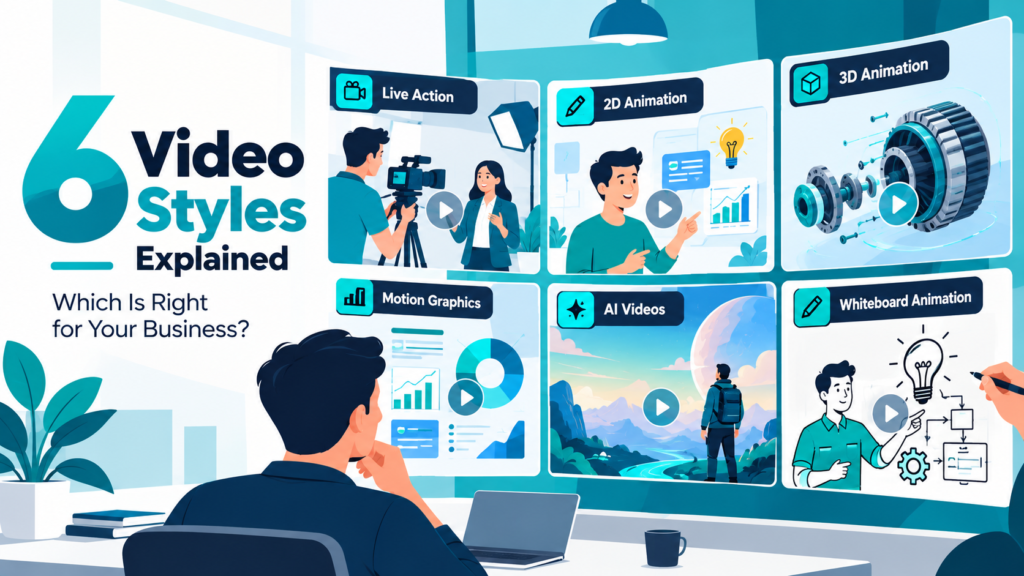
Choosing the right video style can make a significant difference in how people understand your message, connect with your brand and respond to your content. A product demonstration, for example, may need a completely different visual approach from a corporate introduction or an educational explainer.
Some businesses prefer real people and locations, while others need animation to explain ideas that are difficult to film. AI-generated visuals have also introduced new creative possibilities, making it easier to explore concepts and produce certain types of content.
Understanding the different video styles helps you choose an approach that fits your audience, message, budget and marketing objectives. This guide explores six popular styles, their strengths, limitations and the situations where each works best.
What Are Video Styles?
Video styles are different visual approaches used to communicate information, tell stories and present products or services. Each style has its own production techniques, appearance and storytelling possibilities.
For example, live action uses real people and environments, while animation creates movement through illustrated or computer-generated visuals. Motion graphics focuses on animated text, shapes and design elements, whereas whiteboard animation explains concepts through drawings.
The right style depends on what you want viewers to understand, feel or do after watching.
What Are the 6 Main Video Styles?
Businesses commonly use the following six styles for marketing, advertising, training, education and product communication.
| Video Style | Best Suited For |
|---|---|
| Live Action | Corporate videos, testimonials, commercials |
| 2D Animation | Explainer videos, educational content |
| 3D Animation | Product demonstrations, engineering visuals |
| Motion Graphics | Data visualization, brand communication |
| AI Videos | Creative concepts, digital campaigns |
| Whiteboard Animation | Training, tutorials, process explanations |
Each style offers different advantages. Understanding these differences makes it easier to select an approach that supports your communication goals.
1. Live Action Videos

What Is Live Action Video?
Live action videos use real people, physical locations, products and objects captured through a camera. They are among the most familiar video styles because audiences regularly encounter them in advertisements, films, interviews and online content.
This style works particularly well when businesses want to show genuine experiences, demonstrate real products or build credibility through human interaction.
A corporate video featuring employees, for example, can communicate company culture more naturally through real conversations and workplace footage.
When Should Businesses Choose Live Action?
Live action is especially useful when authenticity, personal connection and realistic demonstrations are important.
Common applications include corporate films, customer testimonials, product demonstrations, brand advertisements, event coverage and recruitment videos.
A hospitality company may use live action to showcase its property and guest experience, while a manufacturing business might film its facilities, employees and production processes.
Advantages and Limitations
| Advantages | Limitations |
|---|---|
| Builds human connection | Requires filming arrangements |
| Shows real products and environments | Locations and talent affect costs |
| Supports authentic storytelling | Reshoots can be time-consuming |
| Suitable for interviews and testimonials | Difficult to visualize abstract concepts |
Best for: Businesses that want to establish trust, showcase real experiences or communicate through people-led storytelling.
2. 2D Animation Videos

What Is 2D Animation?
2D animation creates movement using characters, illustrations, objects and backgrounds designed in a two-dimensional space. Unlike live action, it does not depend on physical filming environments.
This makes 2D animation particularly useful for explaining products, services and processes that may be difficult to communicate through real footage.
A software company, for instance, can use animated characters and illustrations to demonstrate how its platform solves everyday business challenges.
When Should Businesses Choose 2D Animation?
Businesses should consider 2D animation when their message involves abstract ideas, complex processes or information that benefits from visual simplification.
It is commonly used for explainer videos, educational content, application walkthroughs, onboarding videos, healthcare communication and service introductions.
Animated characters can also help create relatable situations without requiring actors or physical sets.
Advantages and Limitations
| Advantages | Limitations |
|---|---|
| Simplifies complex concepts | Less realistic than live action |
| Flexible characters and environments | Detailed animation takes time |
| Supports consistent brand visuals | Not ideal for every product category |
| Easy to visualize abstract ideas | Quality depends on design and animation |
Best for: Businesses that need to explain ideas clearly, introduce services or communicate complicated information through approachable visuals.
3. 3D Animation Videos

What Is 3D Animation?
3D animation uses computer-generated models to create objects, environments and characters with realistic depth and dimension. It allows viewers to explore products and processes from perspectives that may be impossible to capture with conventional cameras.
Among different video styles, 3D animation is especially valuable for demonstrating physical products, machinery, technical components and complex engineering systems.
For example, an industrial manufacturer can use 3D animation to reveal the internal working of a machine, explain its components and demonstrate how different mechanisms interact.
When Should Businesses Choose 3D Animation?
3D animation is useful when product accuracy, detailed visualization and technical explanations are essential.
Common applications include product launches, industrial demonstrations, engineering animation, medical visualization, architectural walkthroughs and automotive advertisements.
Businesses can also use 3D animation to present products before manufacturing begins, provided accurate designs and specifications are available.
Advantages and Limitations
| Advantages | Limitations |
|---|---|
| Shows internal product components | Requires detailed 3D modelling |
| Enables realistic product visualization | Complex scenes can increase costs |
| Supports impossible camera movements | Rendering can take time |
| Useful before physical prototypes exist | Accuracy depends on reference data |
Best for: Manufacturing, engineering, automotive, healthcare and product-focused businesses that require detailed visual explanations.
4. Motion Graphics Videos

What Are Motion Graphics?
Motion graphics bring graphic design elements to life through movement. These elements can include typography, icons, charts, shapes, illustrations and visual transitions.
Unlike character-focused animation, motion graphics generally emphasizes information, design and visual communication rather than traditional storytelling through animated characters.
A financial services company might use motion graphics to explain market trends, while a technology brand could animate product features, statistics and key messages.
When Should Businesses Choose Motion Graphics?
Motion graphics works well when businesses need to present information in a visually engaging and structured format.
Typical applications include corporate presentations, promotional videos, social media advertisements, financial reports, product feature highlights and data-driven explainers.
It is also useful for turning static presentations or complicated information into concise visual narratives.
Advantages and Limitations
| Advantages | Limitations |
|---|---|
| Makes information visually engaging | Limited human connection on its own |
| Effective for statistics and processes | Less suitable for realistic demonstrations |
| Supports brand colors and typography | Complex sequences require careful design |
| Works across many digital formats | Too much movement can distract viewers |
Best for: Businesses that want to communicate information, highlight statistics or create visually consistent marketing content.
5. AI Videos

What Are AI Videos?
AI videos use artificial intelligence tools to generate or modify visual content from text prompts, images, reference footage or other inputs. Depending on the platform and workflow, AI can assist with scene generation, visual effects, editing and creative experimentation.
This approach gives businesses new ways to develop visual concepts without physically filming every scene or manually creating every element.
For example, a brand could explore several visual directions for a campaign using AI-generated environments before selecting a concept for further production.
When Should Businesses Choose AI Videos?
AI videos can be useful for concept development, experimental advertising, social media content, stylized visual storytelling and campaigns that require imaginative environments.
They are particularly relevant when businesses want to test creative ideas or develop visuals that would be difficult to capture using conventional filming methods.
However, professional creative direction remains important. AI-generated content may require multiple iterations, editing and quality checks to maintain consistency and accuracy.
Advantages and Limitations
| Advantages | Limitations |
|---|---|
| Enables rapid creative exploration | Results can be inconsistent |
| Supports imaginative visual concepts | Fine details may need correction |
| Reduces some filming requirements | Brand consistency requires supervision |
| Useful for concept testing | Rights and commercial-use terms vary |
Best for: Brands exploring creative advertising concepts, experimental visuals and AI-assisted marketing content.
6. Whiteboard Animation Videos

What Is Whiteboard Animation?
Whiteboard animation presents information through drawings, diagrams and illustrations that appear progressively on a white background or similar visual surface.
The format often simulates the experience of someone drawing and explaining a concept step by step. This gradual visual development helps viewers follow information without being overwhelmed.
Whiteboard animation is particularly effective for educational content, training materials and explanations involving multiple stages or processes.
When Should Businesses Choose Whiteboard Animation?
Businesses should consider whiteboard animation when clarity and structured explanations matter more than elaborate visual effects.
It is commonly used for employee training, educational videos, healthcare awareness, process demonstrations, internal communication and instructional content.
For example, an insurance company could use whiteboard animation to explain how a policy works, outlining each step through simple illustrations.
Advantages and Limitations
| Advantages | Limitations |
|---|---|
| Encourages step-by-step understanding | Limited visual realism |
| Keeps attention on the explanation | May feel repetitive in long videos |
| Suitable for educational content | Less suited to premium product showcases |
| Simplifies processes and diagrams | Requires clear scripting and pacing |
Best for: Organizations that need to explain processes, educate audiences or deliver structured training content.
How Do You Choose the Right Video Style for Your Business?
The best video style depends on your message, audience and intended outcome. Choosing a style based only on visual appeal can lead to content that looks impressive but fails to communicate effectively.
Before deciding, consider whether the video needs to demonstrate a physical product, explain an abstract concept, build emotional connection or communicate detailed information.
A product manufacturer may benefit from 3D animation, while a service business explaining its offering might find 2D animation more suitable. Companies presenting customer experiences may prefer live action.
Video Styles Comparison
| Business Requirement | Recommended Style |
|---|---|
| Build trust through real people | Live Action |
| Explain an abstract service | 2D Animation |
| Demonstrate machinery or product interiors | 3D Animation |
| Present statistics or key information | Motion Graphics |
| Explore imaginative advertising concepts | AI Videos |
| Explain a process step by step | Whiteboard Animation |
These are starting points rather than fixed rules. The most effective choice depends on the specific message and execution.
Which Video Styles Work Best for Different Industries?
Different industries have different communication challenges. A healthcare company may need to explain complicated medical information, while an e-commerce brand may focus on demonstrating product features.
The following table provides a practical starting point.
| Industry | Suitable Video Styles |
|---|---|
| Manufacturing | 3D Animation, Live Action |
| Healthcare | 2D Animation, 3D Animation, Whiteboard |
| Education | Whiteboard, 2D Animation |
| E-commerce | Live Action, 3D Animation, AI |
| Technology and SaaS | 2D Animation, Motion Graphics |
| Finance | Motion Graphics, Whiteboard |
| Real Estate | 3D Animation, Live Action |
| Corporate and B2B | Live Action, Motion Graphics |
Businesses do not have to limit themselves to one style. A combination may communicate a message more effectively.
Can You Combine Different Video Styles in One Video?
Yes. Combining multiple video styles can make a video more informative, engaging and visually flexible.
For example, a corporate film may use live-action interviews alongside motion graphics to highlight statistics. A product demonstration might combine 3D animation with real footage to show both external features and internal mechanisms.
AI-generated scenes can also be integrated with conventional footage or animation when the visual treatment supports the story and technical requirements.
The important consideration is consistency. Different styles should work together to strengthen the message rather than compete for attention.
How Does Video Style Affect Production Cost?
Video costs depend on much more than the selected style. Duration, scripting, complexity, production quality, revisions and delivery requirements can all influence the final budget.
Live action may involve actors, locations, equipment and filming crews. Animation involves illustration, modelling, movement, rendering and post-production. AI-assisted production may reduce certain production tasks but still requires creative development and quality control.
| Video Style | Major Cost Factors |
|---|---|
| Live Action | Crew, locations, equipment, talent |
| 2D Animation | Illustrations, characters, animation complexity |
| 3D Animation | Modelling, textures, simulation, rendering |
| Motion Graphics | Design complexity, transitions, duration |
| AI Videos | Generation usage, iterations, editing |
| Whiteboard Animation | Script, illustrations, animation duration |
A simple video in one style may cost less than a highly detailed production in another. It is better to compare projects based on actual scope rather than assuming one style is always cheaper.
Why Does the Right Video Style Matter for Marketing?
A video should do more than attract attention. It should help viewers understand something, remember a message or take a meaningful next step.
Choosing the right style supports that goal by matching the presentation to the information being communicated.
For example, realistic product footage can build confidence in physical features, while animation can simplify a complicated service. Motion graphics can make numerical information easier to follow, and whiteboard animation can guide viewers through a learning process.
The strongest videos balance creative execution with communication clarity.
Can You Combine Different Video Styles?
Absolutely. In many cases, combining styles produces a better video than forcing everything into one format.
A corporate film might use live action for interviews and motion graphics for statistics. A product video might begin with live action and switch to 3D when the camera needs to reveal what is happening inside the product.
You can also combine 2D animation with typography, 3D with motion graphics, or AI-generated scenes with traditionally produced footage. The combination should solve a communication problem, not simply add more visual effects.
The viewer should feel like they are watching one video, not five production techniques fighting for attention.
Animation or Live Action: Which Should You Choose?
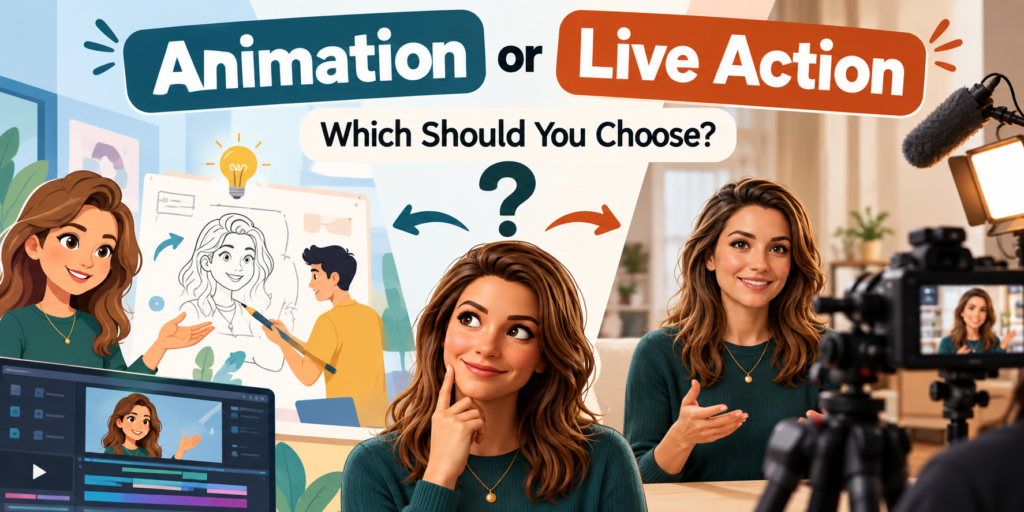
Choose live action when real people, places, products, or experiences are central to the story. Choose animation when the subject is abstract, difficult to film, technically complicated, or better explained visually.
For example, a hospital may use live action to introduce its doctors and facilities but use 3D animation to explain a medical procedure. A software company may have little reason to film an office if its real challenge is explaining how its platform works.
Sometimes the answer is both. Live action can create trust while animation explains what the camera cannot show.
2D or 3D Animation: Which Is Better?
Neither is inherently better. They solve different problems.
2D animation is usually stronger when you need characters, storytelling, simplified concepts, or an illustrative visual language. 3D becomes more useful when depth, physical products, machinery, spatial relationships, materials, or internal components matter.
If you are explaining an insurance process, 2D may be enough. If you are showing how a gearbox works, 3D is likely to communicate much more.
The subject should make the decision.
Motion Graphics or 2D Animation?
This is one of the easiest distinctions to blur.
Motion graphics is usually design-led. Think charts, icons, interface elements, typography, shapes, and visualised information. 2D animation is more likely to use illustrated characters, environments, and narrative scenes.
A SaaS company explaining platform features may lean towards motion graphics. The same company telling a story about a customer struggling with a problem may find 2D character animation more useful.
There is also no reason the two cannot appear in the same video.
How Does Video Style Affect Production Cost?
The style matters, but complexity matters more.
A simple live action interview can cost less than a detailed 2D character animation. A straightforward 3D product rotation is very different from building a complete photorealistic environment with simulations and complex animation.
Duration also matters. So do the number of characters, locations, models, scenes, revisions, visual effects, rendering requirements, actors, crew, and level of finish.
Instead of asking which video style is cheapest, ask what level of production is actually necessary to communicate the idea well.
What Should You Decide Before Choosing a Video Style?
Start with the message.
What should someone understand after watching the video? What should they feel? What should they do next? Once those questions are clear, choosing the visual style becomes much easier.
You should also think about where the video will live. A 15-second social ad, a homepage explainer, a sales presentation, and a five-minute training video are different jobs. They should not automatically use the same production approach.
Finally, think about what absolutely needs to appear on screen. If real people matter, that points towards live action. If an invisible mechanism matters, 3D becomes interesting. If the information itself is the challenge, motion graphics may solve it.
3DTRIXS Insight
We often see businesses choose a video style because they like how another company’s video looks. That is understandable, but it can also send a project in the wrong direction.
A beautiful 3D animation is unnecessary if a straightforward live action film would tell the story better. In the same way, filming a complicated technical process simply because you want live action can make the explanation harder than it needs to be.
The style should follow the communication problem.
There is also no rule saying a project has to stay inside one category. Some of the strongest work comes from knowing when to switch techniques. Use live action where reality matters. Use animation where explanation matters. Use 3D where the camera reaches its limit.
Can 3DTRIXS Produce All These Video Styles?
Yes. 3DTRIXS works across AI videos, animation, 2D animation, 3D animation, live action, motion graphics, typography, whiteboard animation, and stop motion animation.
That range matters because the production method can be chosen around the project instead of fitting every brief into the same house style.
A corporate film might be primarily live action. A product demonstration may rely on 3D animation. A SaaS explainer could use motion graphics and 2D animation. A consumer campaign might combine live action, CGI, typography, or stop motion.
We can also build hybrid productions when one style is not enough. The goal is not to use every technique available. It is to use the ones that make the story clearer, the product easier to understand, and the final video worth watching.
If your business wants to explore AI without sacrificing creative direction or professional production quality, working with an experienced AI Video Production Company can help you turn new technology into content that delivers real marketing value.





Founded: 2014
Team Size: 40 to 50 Employees
Clients: Amazon, Paypal, Deloitte, Levis, Intel, EY and many more.
Pricing: $1,000+
Completed Projects: 8000+ | Clients: 800+ | Serving Countries: 15+

Conclusion
There are plenty of video production styles, but choosing between them does not need to be complicated.
Start with what you need to communicate. Then look at what the audience needs to see in order to understand or believe it.
If reality matters, live action is a strong choice. If you need to simplify a story, look at 2D animation. If you need to reveal a product or technical process, consider 3D. If information itself is the challenge, motion graphics may be the answer.
AI videos, whiteboard animation, and stop motion open up other possibilities when the brief calls for them.
The best video style is not the one with the most impressive production technique. It is the one that makes the idea work.
Frequently Asked Questions About Video Styles
1. What are the different video styles used in business marketing?
Six widely used video styles are live action, 2D animation, 3D animation, motion graphics, AI videos and whiteboard animation. Each supports different communication goals, from realistic storytelling to technical demonstrations and educational explanations.
2. Which video style is best for business advertising?
Live action works well for human-centered advertising, while 2D and 3D animation are useful for product and service explanations. AI videos can support experimental concepts, and motion graphics are effective for concise promotional messages. The best choice depends on the campaign.
3. What is the difference between 2D and 3D animation?
2D animation uses flat illustrations and characters, while 3D animation creates objects and environments with depth. 2D is often suitable for explainers and educational content, whereas 3D is particularly useful for realistic products and technical demonstrations.
4. Are AI videos suitable for professional marketing?
Yes, AI videos can support professional marketing when used with appropriate creative direction, editing and quality control. Businesses should also review visual accuracy, brand consistency and the commercial-use terms of their chosen tools.
5. Which video style is best for explaining complex products?
3D animation is often effective for explaining physical products, machinery and internal components. For abstract services or software processes, 2D animation and motion graphics may communicate information more clearly.
6. What is the difference between motion graphics and animation?
Motion graphics generally focuses on moving text, shapes, icons and graphic elements. Animation is a broader category that can include characters, environments and narrative storytelling. Motion graphics is itself a form of animation.
7. Can businesses combine live action and animation?
Yes. Businesses frequently combine live-action footage with 2D animation, 3D visuals or motion graphics. This approach can add explanations, highlight product features and communicate information that real footage alone cannot show.
8. How do I decide which video style is right for my project?
Start by identifying your target audience, primary message, distribution platform and budget. Then choose a style that communicates the information clearly. A video production team can help evaluate the creative and technical requirements before production begins.
SEO recommendation: Keep the existing URL /video-styles-explained/ and replace the old nine-style article with this six-style version. This keeps the primary keyword Video Styles aligned across the title, H1, introduction, body and FAQs.
Have a Project in Mind?
Tell us about your requirements, and our team will get in touch with you.
